Inventory Management In Zoho CRM
Learn about how Zoho CRM supports integrating Inventory Management features like price books, products etc.
Zoho CRM provides complete support to manage the sales cycle by integrating the Inventory Management modules.
To allow the business to manage their pre-sales and post-sales accounting activity in a single application, Inventory modules like products, vendors, sales orders, quotes and invoices help you manage the sales cycle more efficiently.
Customizing the product line item in inventory modules
To purchase in bulk or buy multiple products, you can issue one invoice with all the necessary details. In Zoho CRM, you can customise the product line items in the inventory module with the fields specific to your business.
Listed here are the inventory modules.
Products
Products are referred to as goods and services purchased or sold by your organisation.
Zoho CRM helps you manage your organisation’s wide products by procuring from vendors and selling to the customers; your organisation’s sales and purchase departments can use these modules effectively. The sales department can use the product module with other modules such as leads, accounts, potentials, and sales orders. Purchasing departments can use the module along with Vendors and purchase orders.
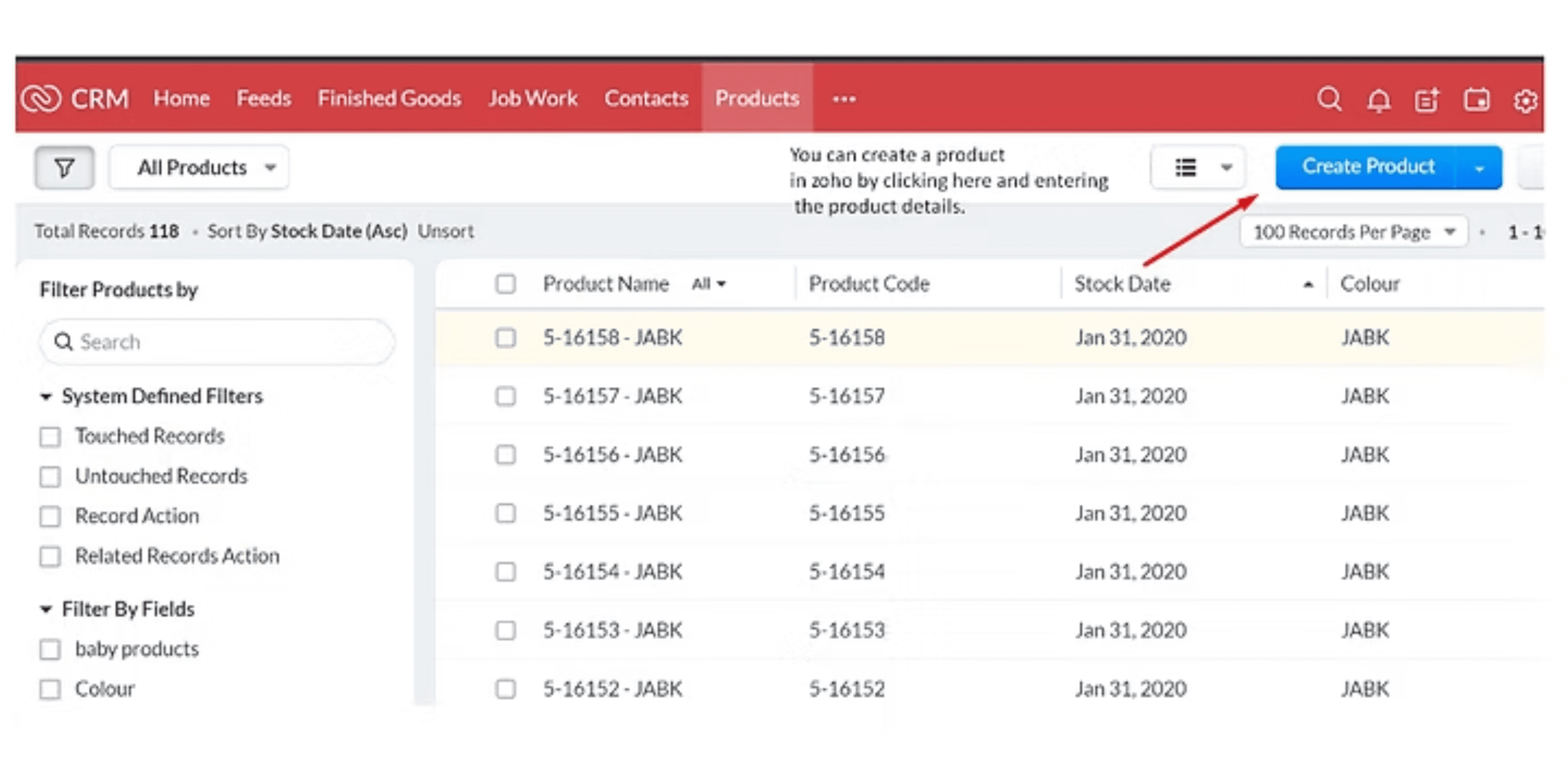
The product detail page consists of product name, manufacturer or reseller name, sales start and end date, support start and end date, price, stock position, stock position, and a few.
Create a product
Generate PO for Records below Reorder Level
Zoho crm provides you with a field called records below to reorder level. You can set the reorder level for each product and generate the purchase order for the products below the reorder level. The reorder level is set to purchase products before the company runs out of stock to sell.
There is a lag between the time when the stock is ordered and when the stock is received. To handle this case, we have a reorder level for the products. It is always set as a number higher than zero.
Understand Stock Information Auto-Updates
The following are the information related to product quantity that is automatically updated.
Quantity in stock
1.When a purchase order is delivered, the quantity in stock increases.
2.When a purchase order is cancelled, the quantity in stock decreases.
3.When the invoice is created, the quantity in stock decreases.
4.Quantity in stock increases with an invoice cancellation.
Quantity in Demand
1.When a sales order is created, the quantity in demand increases.
2.When a sales order is delivered or cancelled, the quantity in demand decreases.
Quantity Ordered
1.When a purchase order is created, the quantity ordered increases.
2.When a purchases order is delivered or cancelled, the quantity ordered decreases.
Example
You run a stationery business. You have 10 pencils in stock. You have no sales order or purchase order. In that case, your quantity in stock would be 10, while your quantity in demand and quantity ordered would be 0.
You receive an order of 5 pencils. now your stock in demand increases.

You deliver your the sales order for 5 pencils and create an invoice for the same. Here, your quantity in stock and quantity in demand decrease accordingly.

Vendors
Vendors are the companies, people and contractors from which your company procures products and services. They can either be manufacturers or resellers.
The following are the steps involved in vendors’ Zoho CRM selection process.
- Estimate your business needs and create the required document (request for information/request for proposal).
- Gather information about the vendors from various sources such as advertisements, referrals, trade magazines etc.
- Send the request for information to vendors.
- Send the request for proposal to the selected vendors.
- Evaluate vendors based on the response to your request for proposal.
- Gather all the necessary information related to the product from shortlisted vendors.
- In Zoho CRM, create the vendor information in the vendor module.
- Keep updating it periodically for future procurement.
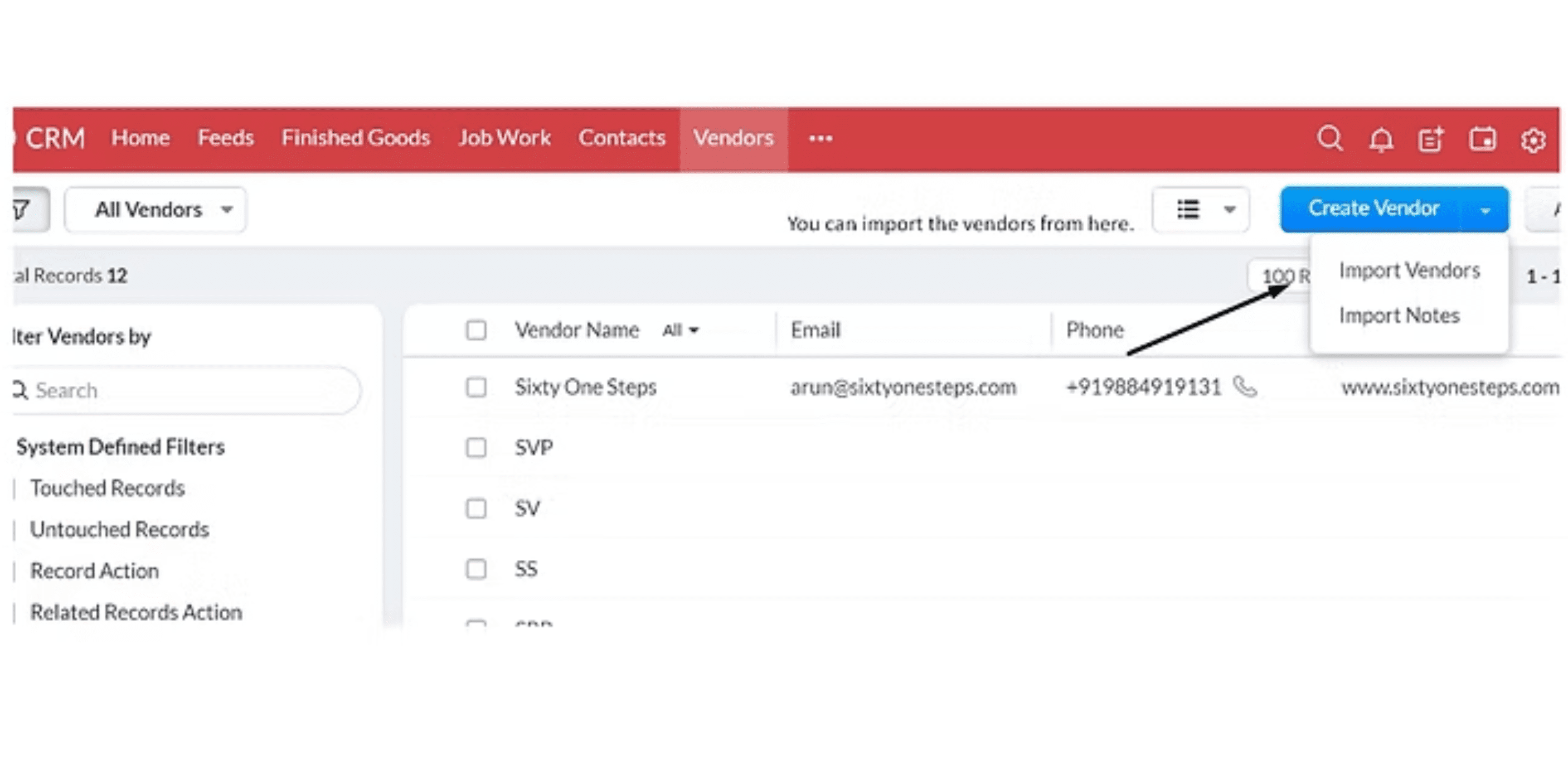
Create vendors
You can either fill in all the details manually inside the vendor creation form

- Or export them from other sources into the Zoho crm account.et, consectetur adipiscing elit. Ut elit tellus, luctus nec ullamcorper mattis, pulvinar dapibus leo.
Quotes
Quotes are legal agreements between customers and vendors to deliver the products requested by the customers within the specified time and at a predefined price.
Customers can place the order at the time specified in the quote, or else you can cancel the quote and send a new quote extending the time. A Sales quote contains the quote number, date, line items (products), including the quantities and prices based on your Price Books, Terms & Conditions. In Zoho CRM you can create a quote directly from the Potential or the Account page.
Creating a quote
You can create a quote manually.
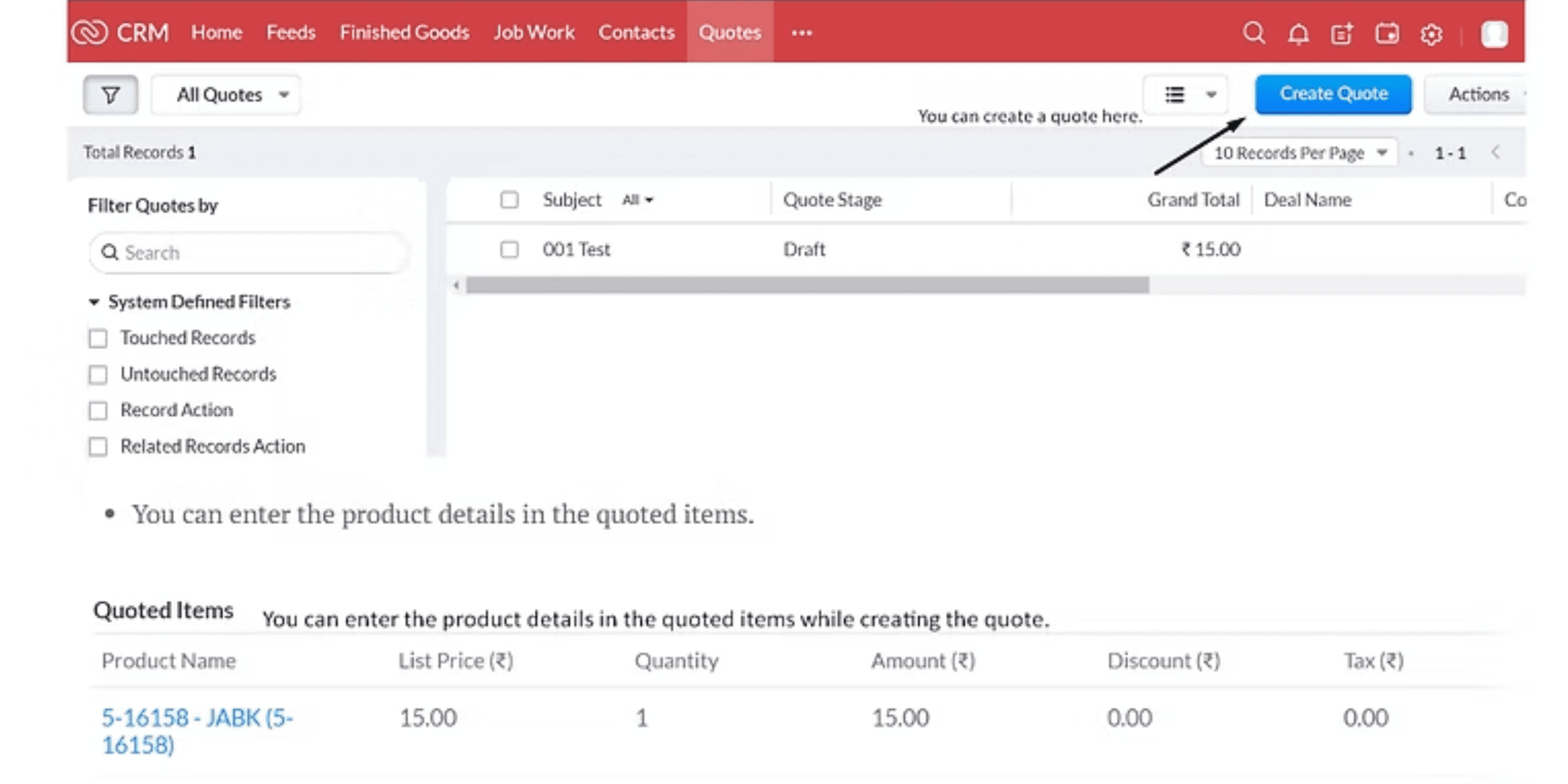
- You can enter the product details in the quoted items.
- You can also convert the quote into an invoice or sales order.
In Zoho CRM, you can associate a quote with other records such as sales order, open activity and history of complete activities.
Sales order
Sales order is a document stating the confirmation about the order placed by the customer for goods and services.
After the customer accepts the quote and sends the purchase order, the customer may now request you to send the sales order to know the exact delivery time of goods and services.
Also, the inventory/production department looks at the list of Sales Orders to see what needs to be shipped out and when. After the order is shipped and delivered to the customer, an invoice is generated from the sales order for billing purposes.
SO contains the SO number, date, line items (products), including the quantities and prices based on the PO, Billing address, Shipping address, and the Terms & Conditions.
To create a sales order
You can create the sales order in Zoho CRM by filling in all the product details.
After delivering the goods, you can create the invoice by converting the sales order into an invoice in the sales order module.
Purchase order
A Purchase Order is a legal binding document made when an order is placed for procuring products or services from your vendors.
It protects the interests of both the vendor and buyers. a Purchase Order (PO) contains the PO number, date, line items (products), including the quantities and prices based on the Sales Quote, Billing address, Shipping address, and Terms & Conditions. You can use the PO for communicating your product and pricing requirements to vendors so there will not be any pricing questions in future. Your vendor can also use the PO as a legal document in the event of nonpayment in a court of law.
Creating purchase orders by filling in all the details.
Invoice
An invoice is a bill issued by the vendor to the customer with the goods or services to collect the payment.
It is essential for both sales and accounting purposes. Invoicing completes the sales process and begins the accounting process where accounts receivable is managed by the Accounts/Finance teams. It usually contains the Purchase Order reference number, Date, Billing Address, Shipping Address, Terms of Payment, Line Items (products/services) with quantities and prices.
In Zoho CRM, you can create invoices directly from the Quotes or Sales Order modules by converting them from the respective modules.
Create Invoice Individually
You can create an invoice by filling in the details in the invoice creation form.
Or by converting them from the respective modules.
Hence, Zoho Inventory streamlines operations for businesses, enabling them to manage their inventory, sales & purchase orders and shipments more effectively. We can help you design a customised, scalable CRM – offer training and one-on-one support on-demand before and after the implementation. We could speed up the sales pipeline by tailoring data-driven automated marketing campaigns while generating new leads.